TL;DR
- A BYOD meeting room lets users connect their own laptop to the room’s camera, microphone, and display.
- It works well for organizations that use multiple video conferencing platforms.
- BYOD is affordable and flexible, but it isn’t the best fit for every meeting space.
- Large rooms and high-use conference rooms often benefit from dedicated room systems instead.
- The best choice depends on room size, meeting frequency, user experience, and IT management.
A BYOD meeting room gives employees the freedom to use their own laptop while still taking advantage of professional conference room equipment. Instead of relying on a dedicated room computer, users simply plug in or connect wirelessly and launch their preferred meeting application.
This approach has become increasingly popular because businesses no longer rely on a single conferencing platform. One team may use Microsoft Teams, another Zoom, while clients join through Google Meet or Webex. A BYOD setup allows one meeting room to support all of them without changing the room’s hardware every time.
That flexibility comes with trade-offs. BYOD is an excellent option in some environments, while other meeting spaces perform better with a dedicated room system.
This guide explains where a BYOD meeting room works best, where it creates unnecessary challenges, and how to decide which solution fits your business.
What Is a BYOD Meeting Room?
A BYOD meeting room is a conference room where participants connect their own laptop to the room’s audio and video equipment instead of using a permanently installed meeting computer.
The term BYOD stands for Bring Your Own Device. In meeting spaces, this usually means employees use their own Windows laptop or MacBook to control meetings while the room provides shared hardware such as:
- Conference room camera
- Ceiling or table microphones
- Speakers
- Display or projector
- USB connection hub
- Wireless presentation device
The meeting software runs on the user’s laptop instead of a room PC.
This design allows organizations to support multiple conferencing platforms without installing separate systems for each one.
Many modern bring your own device solutions include a single USB-C cable or wireless connection that instantly connects the laptop to every room device. Once connected, the laptop detects the room camera, microphone, speakers, and display automatically.
Because the meeting is hosted from the employee’s own computer, users keep access to their saved contacts, calendars, files, chat history, and meeting preferences.
How Does a BYOD Meeting Room Work?
The process is straightforward.
A user enters the meeting room with their laptop.
They connect through:
- USB-C
- HDMI with USB
- Wireless sharing device
- Network-based wireless conferencing
The room immediately shares its professional AV equipment with the laptop.
The employee then opens whichever meeting application they need, such as:
- Zoom
- Google Meet
- Cisco Webex
The conference room camera, microphones, speakers, and display all function through that application.
Instead of learning a different interface for every room, employees simply use software they already know.
This is one reason BYOD systems have become common in hybrid workplaces.
Main Components of a BYOD Meeting Room
| Component | Purpose |
|---|---|
| Conference Camera | Captures meeting participants |
| Microphone | Picks up voices clearly |
| Speakers | Delivers remote participant audio |
| Display | Shows presentations and meeting content |
| USB Hub | Connects laptop to room devices |
| Wireless Sharing Device | Allows cable-free connection |
| Control Panel (optional) | Simplifies room functions |
Some organizations also include intelligent cameras with speaker tracking, beamforming microphones, or wireless presentation gateways depending on room size.
Why Are More Businesses Choosing BYOD Meeting Rooms?
Many businesses choose a BYOD meeting room because it gives employees more flexibility without replacing existing meeting habits.
A few years ago, companies often standardized on one conferencing platform. Today, many organizations work with customers, suppliers, and remote teams using different applications every day.
A sales call may happen in Zoom.
An internal meeting could be held in Microsoft Teams.
A vendor discussion might use Google Meet.
Instead of installing separate room systems for every platform, employees simply connect their laptop and start whichever meeting they need.
This makes bring your own device solutions especially useful for businesses that collaborate with external partners.
Employees Already Know Their Laptop
People work faster when they don’t need to learn a new room interface.
With a BYOD setup, employees:
- Access their own calendar
- Use saved meeting links
- Open familiar applications
- Share files instantly
- Control meetings from their laptop
There is less confusion because everything works from the same device employees use throughout the day.
Lower Hardware Costs
Dedicated room computers increase installation costs.
A BYOD meeting room removes the need for a permanently installed conferencing computer in many spaces.
Instead, organizations invest in quality cameras, microphones, displays, and connectivity hardware.
For companies building several small meeting rooms, this can significantly reduce equipment costs while still providing professional audio and video.
Supports Multiple Meeting Platforms
One of the biggest strengths of modern byod systems is platform flexibility.
Instead of choosing one conferencing ecosystem, employees can launch whichever application a meeting requires.
This avoids compatibility problems when working with customers or external teams.
Industry analysts have noted that hybrid workplaces increasingly depend on interoperability rather than a single meeting platform, making BYOD workflows more common across modern offices.
Easy to Upgrade
Technology changes quickly.
Replacing one conference room computer every few years can become expensive.
Many bring your own device solutions separate the room hardware from the user’s laptop.
That means the room camera, microphones, and speakers stay in place while employees continue upgrading their own devices naturally through normal IT refresh cycles.
This often extends the useful life of conference room AV equipment.
Better for Hybrid Work
Hybrid employees frequently move between home, office desks, and meeting rooms.
A BYOD meeting room creates a familiar experience wherever they work.
Instead of adjusting to different room systems throughout the office, employees simply connect their laptop and continue using the same meeting software they already use every day.
That consistency can reduce setup time and help meetings begin more quickly, especially in organizations where staff regularly switch between locations.
What Types of Meeting Rooms Benefit Most from BYOD?
A BYOD meeting room works best in spaces where flexibility matters more than automation. If different teams use different meeting platforms, BYOD can simplify collaboration without locking the room into a single ecosystem.
The following room types usually benefit the most.
Is a BYOD Meeting Room Good for Small Huddle Rooms?
Yes. Small meeting rooms are often the best place to use a BYOD meeting room setup.
These rooms typically host two to six people for quick discussions, project updates, interviews, or client calls. Employees already have their laptops with them, so connecting to the room takes very little effort.
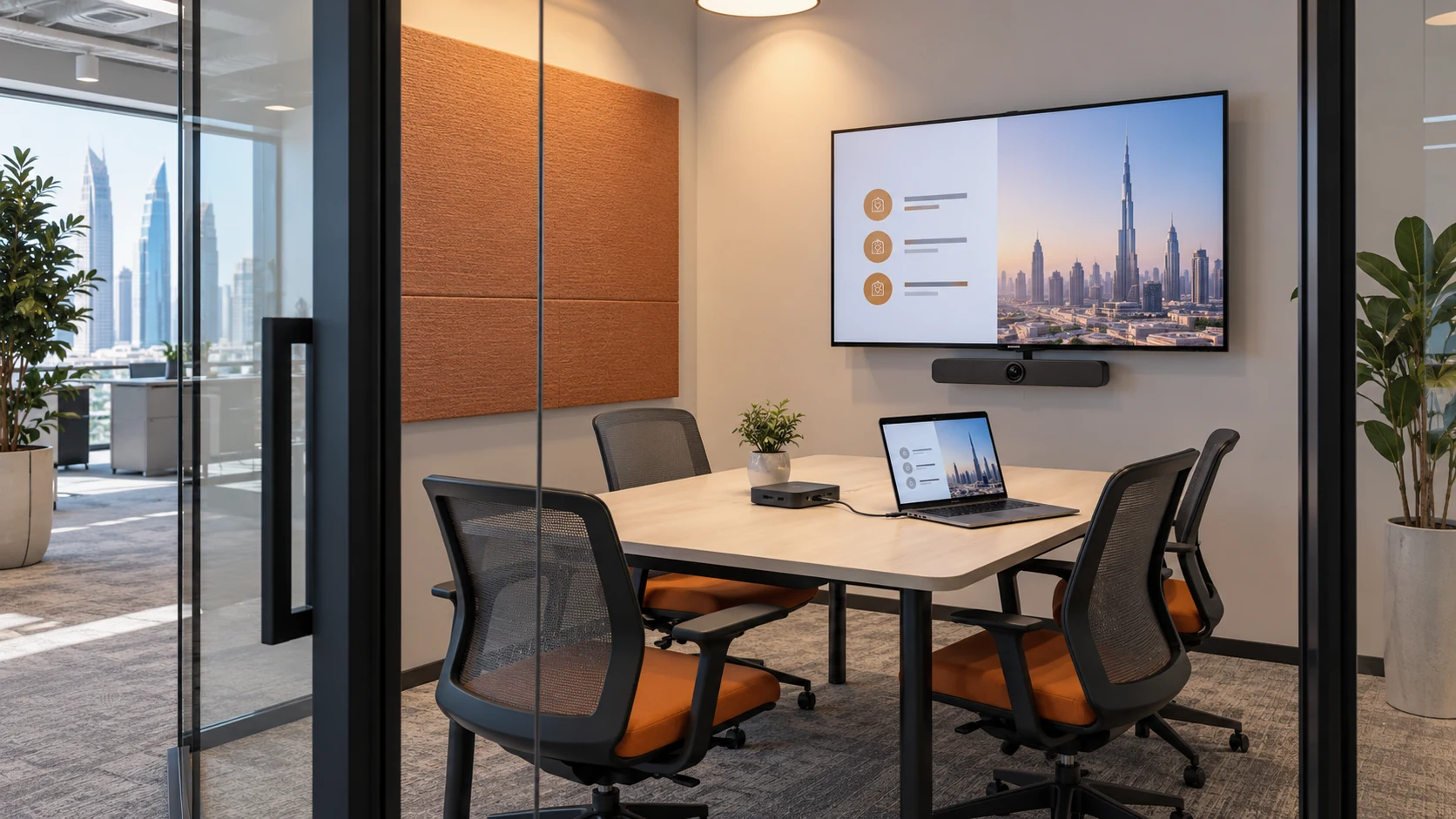
A typical huddle room may include:
- A 55 to 65-inch display
- USB conference camera
- Speakerphone or compact microphone
- Single USB-C connection or wireless sharing device
Since meetings are usually short and informal, users appreciate the simplicity of opening their preferred meeting app without learning a dedicated room interface.
Many businesses also choose BYOD systems for huddle rooms because they cost less than installing a full room appliance in every small space.
Do Shared Meeting Rooms Need BYOD?
- Connect their laptop.
- Launch their meeting application.
- Use the room camera, microphone, speakers, and display.
Is BYOD Suitable for Client Meeting Rooms?
- USB-C docking
- Wireless presentation
- Clearly labeled cables
- Automatic device switching
- On-screen connection instructions
Are Training Rooms a Good Fit?
Sometimes.
Training rooms often involve presentations, screen sharing, and demonstrations. If different trainers bring their own laptops, BYOD offers excellent flexibility.
For example:
A software trainer arrives with a Windows laptop.
An external consultant brings a MacBook.
A guest speaker uses a Chromebook.
Each person can connect to the same room equipment without changing the room configuration.
In these environments, BYOD systems reduce compatibility issues while allowing trainers to use their own files, applications, and presentation tools.
When Does a BYOD Meeting Room Not Make Sense?
A BYOD meeting room is not always the best choice. Some spaces need faster meeting starts, centralized management, or a consistent user experience that does not rely on individual laptops.
Knowing where BYOD struggles is just as important as knowing where it succeeds.
Large Boardrooms
Large boardrooms usually host executive meetings, customer presentations, and high-value discussions.
These meetings often require:
- Multiple displays
- PTZ cameras
- Ceiling microphone arrays
- Advanced speaker tracking
- Integrated room controls
A dedicated room system can manage these devices more consistently than a laptop-based setup.
In larger spaces, participants also expect meetings to begin immediately without searching for cables or changing laptop settings.
For this reason, many organizations install dedicated conferencing systems instead of relying entirely on bring your own device solutions.
Rooms with Back-to-Back Meetings
Busy conference rooms may host meetings all day.
When every meeting depends on someone connecting their laptop, small delays become common.
Examples include:
- The previous user forgot to disconnect.
- The next user cannot find the correct cable.
- Someone’s laptop needs an operating system update.
- Audio devices are not selected correctly.
Each delay may only last a few minutes, but across dozens of meetings each week, the lost time adds up.
Dedicated room systems remove many of these issues because the room is always ready.
Executive Spaces
Executive meeting rooms often require a polished, predictable experience.
Senior leadership teams may expect:
- One-touch meeting join.
- Automatic camera framing
- Scheduled meetings from room calendars
- Central IT management
- Consistent user interface
Although modern byod solutions have improved significantly, they still depend on the user’s laptop for meeting control.
Organizations that prioritize speed and consistency often choose a dedicated room appliance instead.
High-Security Environments
- Control software updates
- Apply security policies
- Monitor device health
- Restrict unauthorized applications
- Maintain compliance requirements
Rooms Used by Non-Technical Visitors
Some meeting spaces are frequently used by customers, interview candidates, contractors, or visiting partners.
These users may not know:
- Which cable to use
- How to switch audio devices
- How to share content
- Which camera has been selected
A dedicated room interface often reduces confusion because everything is already configured.
If guest users regularly struggle to connect, the convenience of BYOD quickly disappears.
BYOD Meeting Room vs Dedicated Room System
The right choice depends on how the room is used. Neither option is universally better.
| Feature | BYOD Meeting Room | Dedicated Room System |
|---|---|---|
| Meeting Platform | Any supported app on user’s laptop | Usually optimized for one platform |
| Hardware Cost | Lower | Higher |
| User Flexibility | Excellent | Limited to installed platform |
| Meeting Startup | User connects laptop | One-touch join |
| IT Management | Moderate | Centralized |
| Guest Compatibility | Very good | Depends on platform |
| Best Room Size | Small to medium | Medium to large |
| Security Control | Depends on user device | Fully managed |
| Upgrade Path | Easier through employee laptops | Hardware refresh required |
The comparison shows why many organizations now combine both approaches. Smaller collaboration spaces often use byod solutions, while boardrooms and executive spaces continue using dedicated conferencing systems.
This hybrid strategy gives employees flexibility where they need it most while maintaining a consistent experience in rooms where reliability is the highest priority.
How Can You Decide if a BYOD Meeting Room Is Right for Your Office?
The easiest way to decide is to look at how people actually use the room. A BYOD meeting room works best when employees already bring laptops to meetings and regularly switch between different conferencing platforms.
Instead of asking, “Should every room be BYOD?”, ask a few practical questions.
How Often Are Different Meeting Platforms Used?
If your business uses only Microsoft Teams or only Zoom, a dedicated room system may be enough.
However, many organizations now communicate with:
- Clients on Zoom
- Internal teams on Microsoft Teams
- Vendors on Google Meet
- Partners on Cisco Webex
In these situations, a BYOD meeting room removes platform restrictions because users simply launch the application already installed on their laptop.
This is one reason bring your own device solutions continue to grow in hybrid workplaces.
Do Employees Already Carry Laptops?
If every employee already works from a company-issued laptop, BYOD usually feels natural.
People enter the room with:
- Their meeting invite
- Presentation files
- Notes
- Chat history
- Calendar
Instead of transferring files to another computer, they simply connect and start the meeting.
That saves time and reduces mistakes.
How Large Is the Meeting Room?
Room size has a major impact on the decision.
A simple guide looks like this:
| Room Size | Recommended Approach |
|---|---|
| 2 to 6 people | BYOD works very well |
| 6 to 10 people | BYOD or dedicated system |
| 10 to 20 people | Depends on meeting type |
| 20+ people | Dedicated room system is usually better |
Large rooms often require multiple cameras, ceiling microphones, DSP audio processing, and automated controls that are easier to manage with a dedicated conferencing system.
Who Uses the Room Most?
Think about the primary users.
A room used mainly by internal employees may benefit from BYOD systems because everyone already understands the company’s technology.
A room used by visitors every day may need a simpler experience with one-touch meeting controls.
Understanding your users often matters more than choosing the newest technology.
Does IT Want Centralized Control?
IT departments should also be involved in the decision.
Dedicated room systems allow administrators to:
- Monitor device health
- Push software updates
- Apply security policies
- Troubleshoot remotely
- Standardize every meeting room
A BYOD meeting room shifts some responsibility to individual users because the meeting runs from their own laptop.
Neither approach is wrong, but the support model is different.
What Features Should You Look for in a BYOD Solution?
Not all byod solutions offer the same user experience. The best systems reduce setup time and work with the devices employees already use every day.
Here are the features worth prioritizing.
One-Cable Connectivity
- Camera
- Microphones
- Speakers
- Display
- Charging
Wireless Connection Options
Many modern bring your own device solutions also support wireless conferencing.
This allows employees to connect without plugging in a cable, which is especially useful in flexible workspaces and shared meeting rooms.
Wireless options should still provide stable audio, video, and screen sharing to avoid interruptions during meetings.
Cross-Platform Compatibility
A good BYOD system should support:
- Windows
- macOS
- Microsoft Teams
- Zoom
- Google Meet
- Cisco Webex
Employees should never have to change room hardware simply because a customer uses a different meeting platform.
Compatibility is one of the biggest advantages of BYOD systems.
High-Quality Audio
Poor audio causes more meeting complaints than poor video.
Choose microphones that provide:
- Clear voice pickup
- Noise reduction
- Echo cancellation
- Consistent coverage across the room
For medium and large rooms, ceiling microphone arrays or beamforming microphones often deliver better coverage than a single tabletop speakerphone.
Research from the National Institute of Standards and Technology (NIST) highlights that speech intelligibility has a direct impact on communication accuracy in collaborative environments, making audio quality a critical part of meeting room design.
Intelligent Camera Features
- Auto framing
- Speaker tracking
- Presenter tracking
- AI-based participant framing
Simple User Interface
Technology should not slow meetings down.
Employees should be able to:
- Walk into the room.
- Connect once.
- Open their meeting.
- Start talking.
If users need lengthy instructions every time, the room is too complicated.
The best byod solutions focus on reducing steps rather than adding more features.
Common Mistakes Businesses Make with BYOD Meeting Rooms
Most BYOD problems are caused by planning mistakes rather than the technology itself.
Avoiding these common issues will improve the user experience.
Choosing the Cheapest Hardware
A low-cost camera or microphone may work for occasional calls, but daily business meetings demand reliable performance.
Poor audio, blurry video, and unstable USB connections quickly frustrate users.
Investing in quality AV hardware often provides better long-term value than replacing inexpensive equipment every year.
Ignoring Room Acoustics
Even the best conference camera cannot fix poor acoustics.
Hard surfaces such as glass walls, concrete floors, and empty rooms create echoes that reduce speech clarity.
Simple improvements like acoustic wall panels, carpets, or ceiling treatments can make a noticeable difference.
Forgetting Cable Management
- Clearly labeled
- Easy to reach
- Properly secured
- Simple to replace if damaged
Skipping User Training
- Quick start guides
- Connection diagrams
- Basic troubleshooting tips
- Contact information for IT support
Assuming Every Room Needs BYOD
- BYOD rooms for small collaboration spaces
- Dedicated systems for executive boardrooms
- Hybrid meeting spaces for training rooms
Final Thoughts
A BYOD meeting room is a practical choice when your teams already work from laptops and regularly switch between different conferencing platforms. It gives employees the freedom to use familiar software while making full use of professional cameras, microphones, speakers, and displays.
That flexibility is one of the biggest reasons businesses continue investing in byod solutions. Instead of limiting every room to a single platform, employees can join Microsoft Teams in the morning, Zoom after lunch, and Google Meet later in the day without changing the room setup.
At the same time, BYOD is not the answer for every meeting space. Large boardrooms, executive meeting rooms, and environments with strict security or compliance requirements often perform better with dedicated room systems that offer centralized management and one-touch meeting controls.
Rather than choosing one approach for every room, many organizations get the best results by matching the technology to the way each space is actually used. Smaller collaboration rooms can benefit from bring your own device solutions, while larger spaces continue using dedicated conferencing systems where consistency and reliability matter most.
Evaluating your room size, meeting habits, IT policies, and user expectations before making a decision will help you build meeting spaces that are easier to use and more effective over the long term.
Frequently Asked Questions
What is a BYOD meeting room?
A BYOD meeting room is a conference room where employees use their own laptop to host meetings while connecting to the room’s shared camera, microphones, speakers, and display. This allows users to launch their preferred conferencing application without relying on a dedicated room computer.
Are BYOD meeting rooms secure?
Yes, they can be, provided the organization has clear IT policies in place. Businesses should use secure USB connections, managed networks, endpoint protection, and device authentication to reduce security risks. Companies with strict compliance requirements may still prefer dedicated room systems in sensitive areas.
Which meeting platforms work with BYOD systems?
Most modern BYOD systems support the major conferencing platforms, including:
- Microsoft Teams
- Zoom
- Google Meet
- Cisco Webex
Because the meeting runs from the user’s laptop, employees can choose the platform required for that specific meeting.
What equipment is required for a BYOD meeting room?
A typical BYOD meeting room includes:
- Conference room camera
- Microphones
- Speakers
- Display or projector
- USB-C or HDMI connectivity
- Wireless presentation device (optional)
- USB hub or docking solution
Larger rooms may also include PTZ cameras, ceiling microphones, and DSP audio processors for better coverage.