TL;DR
- MTR Rooms are dedicated meeting spaces designed to run Microsoft Teams with one-touch meeting controls.
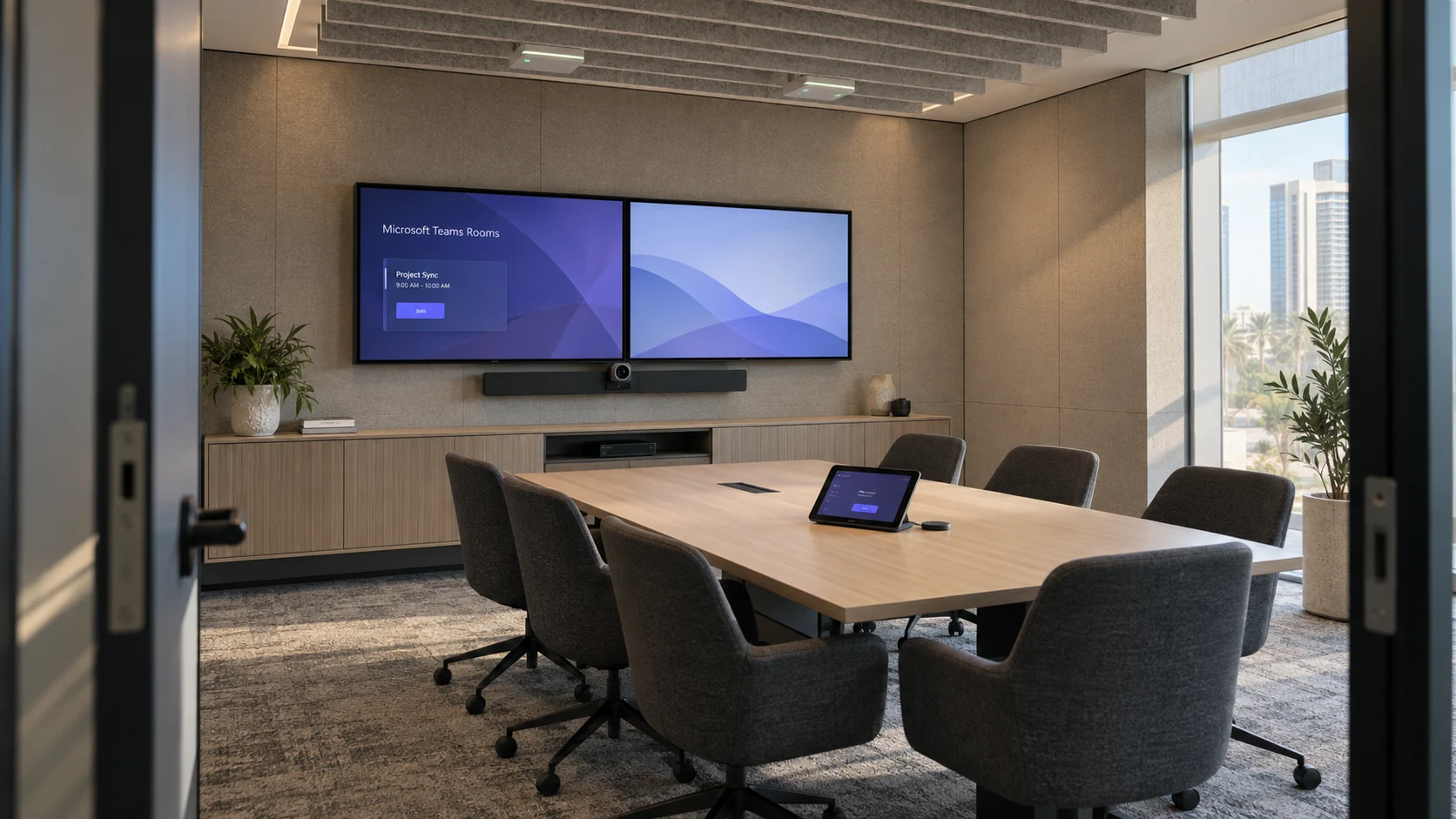
- A complete Microsoft Teams Room includes a certified computer, touch console, camera, microphone, speakers, and display.
- MTR systems provide a better meeting experience than using a laptop alone.
- Choosing the right room setup depends on room size, number of participants, and collaboration needs.
- Understanding Microsoft Teams Rooms before buying helps avoid expensive mistakes and future upgrades.
What Is an MTR Room?
An MTR Room is a dedicated meeting room equipped with certified Microsoft Teams hardware that allows users to start, join, and manage meetings with a single touch.
Instead of relying on someone’s laptop, the room itself becomes the meeting device. Participants simply walk in, tap the meeting on the touch console, and the room connects automatically.
A modern Microsoft Teams Room combines hardware, software, and room controls into one integrated solution. Whether people join from the office or remotely, everyone shares the same meeting experience.
Why Are More Companies Choosing Microsoft Teams Rooms?
Companies are choosing Microsoft Teams Rooms because hybrid meetings have become a normal part of daily work.
According to 2026 usage data, Microsoft Teams now supports over 320 million daily active users, and more than 80% of all Teams meetings now include at least one remote participant. This permanent shift makes dedicated, hybrid-ready meeting spaces an absolute necessity.
Businesses also benefit because:
- Meetings start faster.
- Audio quality improves.
- Video quality becomes more consistent.
- Remote participants feel more involved.
- IT teams spend less time fixing meeting room issues.
The result is a meeting room that works the same way every day.
What Equipment Is Included in an MTR Room?
An MTR Device setup includes several certified components working together.
Microsoft Teams Room Compute Device
This is the room’s dedicated computer.It runs Microsoft Teams Room software and controls the entire meeting experience.
Unlike a standard office PC, these systems are designed specifically for conference rooms.
Touch Controller
- Join meetings
- Start ad hoc meetings
- Share content
- Control cameras
- Adjust meeting settings
Conference Camera
- Fixed camera
- PTZ camera
- AI-powered tracking camera
- Multi-camera system
Microphones
- Table microphones
- Ceiling microphones
- Beamforming microphones
- Wireless microphones
Display Screens
- One screen for shared content
- One screen for remote participants
Speakers
Clear audio ensures everyone can hear remote participants without echo or distortion.
Many meeting rooms use integrated soundbars, while larger spaces often require dedicated speakers.
How Does a Microsoft Teams Room Work?
A Microsoft Teams Meeting Room works by combining certified hardware with Microsoft Teams software.
Here’s a typical workflow:
- Employee schedules a Teams meeting in Outlook.
- The meeting appears automatically on the room console.
- Users enter the room.
- Tap Join.
- Camera, microphone, speakers, and displays activate automatically.
- Meeting begins.
This simplicity is one reason organizations continue investing in Teams Rooms.
How Is an MTR Room Different From a Normal Meeting Room?
The biggest difference is automation.
A traditional conference room often depends on personal laptops.
An MTR Room is designed to function independently.
| Feature | Traditional Meeting Room | MTR Room |
|---|---|---|
| Dedicated meeting computer | No | Yes |
| One-touch join | No | Yes |
| Certified Teams hardware | No | Yes |
| Automatic calendar sync | No | Yes |
| AI camera support | Optional | Yes |
| Remote collaboration | Basic | Advanced |
| Central device management | Limited | Yes |
Traditional meeting rooms require more manual setup every time.
MTR Rooms reduce those steps.
What Types of MTR Rooms Are Available?
Focus Rooms
- Private calls
- Interviews
- Quick Teams meetings
Small Meeting Rooms
Typically seat four to six people.
These rooms usually use:
- One camera
- One display
- Compact soundbar
- Table microphones
Medium Conference Rooms
These rooms accommodate six to twelve participants.
Additional microphones and wider-angle cameras improve meeting quality.
Large Conference Rooms
- Multiple microphones
- PTZ cameras
- Ceiling audio
- Larger displays
- DSP audio processing
What Are the Benefits of Microsoft Teams Rooms?
Organizations choose Microsoft Teams Room Setup because it improves meeting consistency.
Meetings Start Faster
Better Audio
Certified microphones reduce background noise.Beamforming microphones focus on active speakers rather than room noise.
Better Video
Modern AI cameras automatically frame speakers.Some systems even create individual participant views.
Easier IT Management
IT administrators can monitor certified room systems remotely.Microsoft provides centralized device management through Teams Admin Center.
Improved Hybrid Collaboration
What Is Needed for a Microsoft Teams Room Setup?
Planning a Microsoft Teams Room Setup starts with understanding the room itself.
Consider:
Room Size
Small rooms need different equipment than boardrooms.
Number of Participants
- Additional microphones
- Larger displays
- Better cameras
Room Acoustics
Display Placement
Network Connection
What Is an MTR Device?
An MTR Device is any Microsoft-certified hardware designed specifically for Teams Rooms.
Examples include:
- Teams Room compute devices
- Touch controllers
- Certified conference cameras
- Speakerphones
- Audio processors
- Integrated collaboration bars
Certification ensures compatibility with Microsoft Teams software. Microsoft maintains a list of certified devices through its official Teams Rooms documentation.
Can Existing Meeting Rooms Be Converted Into MTR Rooms?
- Replacing the camera
- Adding certified microphones
- Installing a Teams Room compute device
- Adding a touch controller
- Updating displays if needed
What Should Office Buyers Look for Before Purchasing?
Buying an MTR Room should involve more than comparing hardware prices.
Consider the following questions.
Is the equipment Microsoft certified?
Can it grow with future needs?
Does it fit the room?
Overpowered equipment wastes budget.
Undersized equipment creates poor meeting experiences.
Can IT manage it remotely?
Common Mistakes Buyers Make
Many organizations buy hardware before evaluating the room.
Common mistakes include:
- Choosing cameras with insufficient field of view
- Installing too few microphones
- Ignoring room acoustics
- Using consumer webcams
- Forgetting cable management
- Skipping professional installation
Planning first usually saves money later.
Are Microsoft Teams Rooms Worth the Investment?
For organizations holding daily hybrid meetings, the answer is usually yes.
Employees spend less time troubleshooting.Meetings begin on schedule.Remote participants communicate more naturally.IT teams manage fewer support requests.These benefits often outweigh the initial hardware investment.
How Does Microsoft Continue Improving Teams Rooms?
Microsoft regularly adds new features through Teams Rooms updates.
Recent improvements include AI-powered camera experiences, better front-row meeting layouts, intelligent speaker support, and enhanced device management.
You can follow Microsoft’s official Teams Rooms roadmap and documentation for the latest features and supported hardware.
Final Thoughts
An MTR Room gives organizations a dedicated meeting space where Microsoft Teams works the same way every time. Instead of relying on laptops, adapters, and manual setup, meetings begin with a single touch, supported by certified cameras, microphones, speakers, and room controls.
If you’re planning new office spaces or upgrading existing conference rooms, start by assessing room size, participant count, and collaboration needs before selecting hardware. A well-designed Microsoft Teams Room Setup will provide a more reliable meeting experience, simplify IT management, and support hybrid work for years to come.
For your next step, review your current meeting rooms and identify which spaces would benefit most from a dedicated Teams Room. Starting with one frequently used conference room is often the easiest way to evaluate the impact before expanding across the office.
Frequently Asked Questions
What does MTR stand for?
MTR stands for Microsoft Teams Room, a dedicated meeting room solution built specifically for Microsoft Teams.
Can I use my laptop in an MTR Room?
Yes. Many rooms support content sharing from laptops while the room system manages the meeting.
Does every Teams Room require certified hardware?
Microsoft recommends certified devices because they are tested for compatibility, performance, and ongoing software updates.
Can an existing conference room become an MTR Room?
Yes. Many organizations upgrade existing AV equipment by adding certified Teams Room hardware and controllers.
What size room is best for Microsoft Teams Rooms?
Teams Rooms work in almost any space, from individual focus rooms to large boardrooms. The equipment simply changes based on room size and capacity.