TL;DR
- Long meeting rooms need different camera positioning than square rooms.
- A camera with optical zoom usually works better than a fixed wide-angle camera.
- Centered, eye-level installation improves visibility and eye contact.
- Lighting and display placement directly affect video quality.
- Smart features like auto-framing can improve coverage in larger rooms.
Getting good video coverage in these spaces comes down to three things: choosing the right camera for long meeting room environments, planning camera placement conference room requirements correctly, and building a conference room video camera setup that matches the room dimensions.
A standard webcam mounted beneath a display usually isn’t enough. Long conference rooms need equipment and positioning designed specifically for extended seating arrangements.
Why Do Long Narrow Meeting Rooms Need a Different Video Setup?
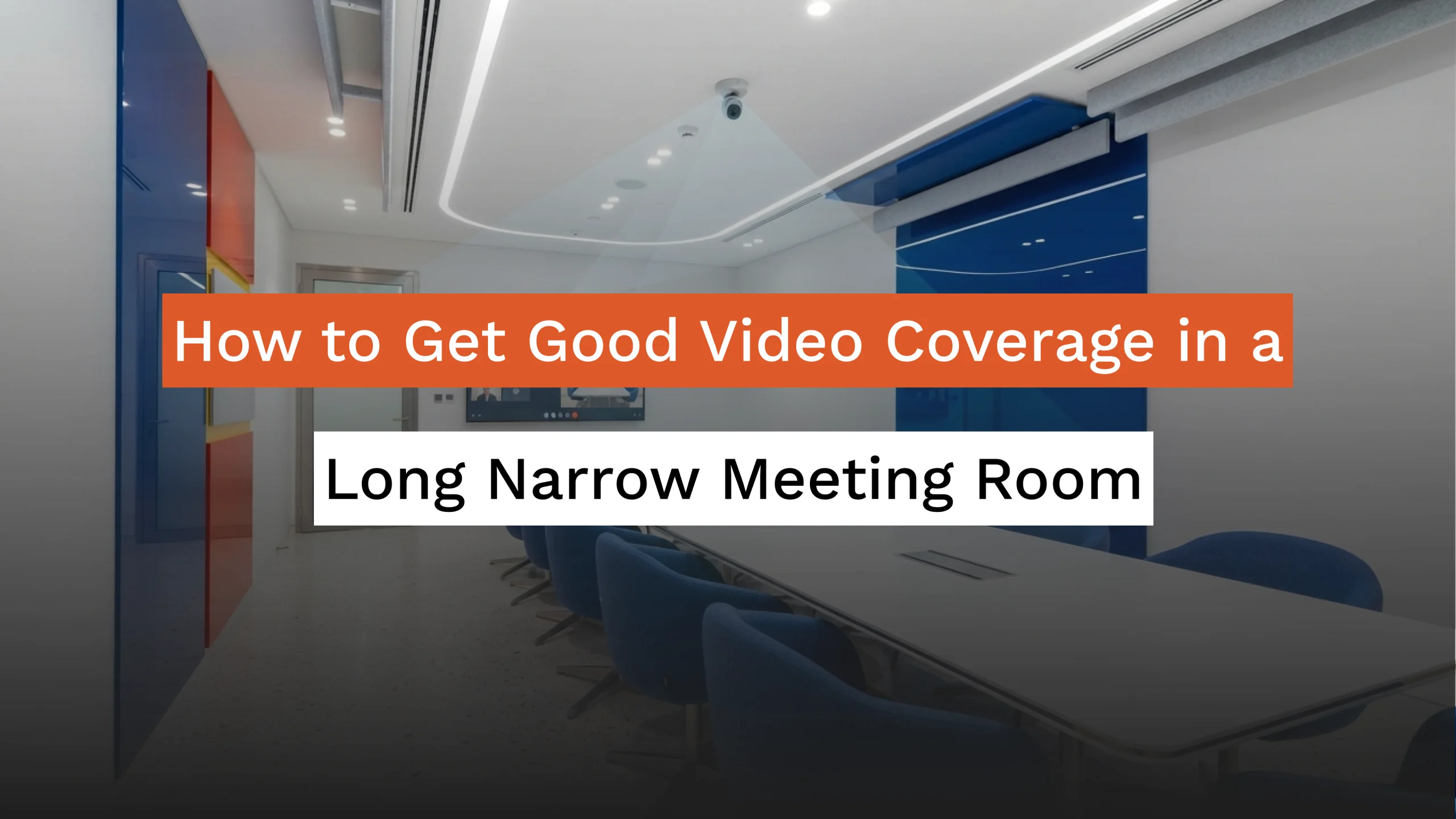
Long rooms spread participants over a greater distance, which creates framing and visibility problems that do not exist in smaller spaces.
A camera designed for a square room may only capture part of the table or make participants at the far end appear too small to identify clearly. Remote attendees can struggle to read facial expressions or understand who is speaking.
Long rooms also make eye contact more difficult. When people appear tiny on screen, meetings feel less personal and discussions become harder to follow.
Typical issues include:
- Uneven participant sizing
- Limited field of view
- Poor visibility at the far end of the room
- Distorted perspectives
- Reduced engagement for remote attendees
These challenges are why businesses increasingly choose a dedicated camera for long conference room applications instead of relying on standard meeting cameras.
What is the Best Camera for a Long Meeting Room?
The best camera for long meeting room installations is usually a high-resolution camera with optical zoom and intelligent framing capabilities.
Video quality matters more in long rooms because participants may sit several metres from the camera. Higher resolution allows remote viewers to see facial expressions and reactions more clearly.
Important features to look for include:
Optical Zoom
Optical zoom lets the camera capture participants seated at different distances without reducing image quality.
Intelligent Auto-Framing
Auto-framing automatically adjusts the camera view according to participant positions, which is useful when seating arrangements change.
Wide Dynamic Range
Meeting room lighting changes throughout the day. Cameras with wide dynamic range handle bright windows and darker areas more effectively.
Low-Light Performance
Some conference rooms have inconsistent lighting. Cameras that perform well in low-light conditions deliver more reliable video quality.
According to the International Telecommunication Union, video quality directly influences communication effectiveness because visual cues contribute significantly to human interaction.
Where Should You Place a Camera in a Long Conference Room?
For most long rooms, the camera should be mounted at one end of the table and aligned with its center.
Even an expensive camera can produce poor results if it is installed in the wrong position. Proper camera placement conference room planning often has a bigger impact than buying a higher-end camera.
The goal is simple: everyone in the room should remain visible without appearing distorted.
Mount the Camera at Eye Level
Installing the camera close to eye level creates a more natural conversation experience. Remote participants feel as though they are speaking directly with people in the room instead of looking down on them.
Cameras mounted too high can make participants look smaller and less engaged. Cameras positioned too low may create distracting angles and emphasize the people nearest to the lens.
Keep the Camera Centered
An off-center camera creates uneven framing. People on one side of the room can dominate the screen while others appear pushed to the edges.
A centered installation helps:
- Keep participants proportionate
- Reduce perspective distortion
- Create more natural eye contact
- Improve visibility across the table
For most conference room video camera setup projects, centering the camera with the table is one of the simplest ways to improve meeting quality.
Does Field of View Matter in Long Meeting Rooms?
Yes. The wrong field of view can make people appear either too small or completely out of frame.
A very wide-angle camera may capture the entire room, but participants seated farther away can become difficult to recognize. A narrow field of view creates the opposite problem by excluding people seated near the edges.
The ideal camera for long conference room environments usually provides adjustable viewing angles or intelligent framing features.
A balanced field of view should:
- Show every participant clearly
- Maintain reasonable facial detail
- Avoid stretched perspectives
- Adapt to different seating arrangements
Many businesses now choose cameras with auto-framing because they automatically adjust the viewing angle while keeping all participants visible.
Should You Use One Camera or Multiple Cameras?
The answer depends on the room length and the number of participants.
A single high-quality camera is often sufficient for medium-sized rooms when it includes optical zoom and intelligent framing capabilities. However, larger boardrooms sometimes benefit from multiple cameras.
Multiple-camera installations can provide:
- Better visibility across long tables
- More consistent participant sizing
- Improved speaker tracking
- Better coverage during presentations
Modern conferencing systems can automatically switch between cameras depending on who is speaking. This creates a more natural viewing experience for remote attendees.
When planning a conference room video camera setup, the room dimensions should determine whether a single camera or a multi-camera configuration makes more sense.
How Does Display Placement Affect Video Meetings?
Displays should generally be positioned directly opposite the camera.
When displays and cameras are aligned, participants naturally look toward both the screen and the camera at nearly the same angle. This creates the impression of direct eye contact.
Poor display placement can cause participants to constantly look away from the camera, making conversations feel disconnected.
A practical room layout usually follows this arrangement:
Camera → Display → Participants
This positioning works particularly well in long rooms because it encourages more natural interaction between in-person and remote attendees.
In many cases, improving display placement can significantly enhance the effectiveness of a camera for long meeting room installation without requiring additional equipment.
How Does Lighting Affect Video Coverage in a Long Meeting Room?
Lighting has a direct impact on how clearly participants appear on camera. Even the best camera for long meeting room installations can struggle if the room has uneven lighting. Participants sitting near windows may appear too bright, while people farther away can look dark or shadowed.
Common lighting problems include:
- Bright windows behind participants
- Uneven ceiling lighting
- Shadows across the table
- Different brightness levels from one end of the room to the other
For better video quality, use evenly distributed lighting throughout the room and avoid seating participants directly in front of windows.
If possible:
- Use diffused ceiling lighting
- Install blinds on large windows
- Keep brightness consistent across the table
- Eliminate strong backlighting
Modern cameras include image processing technologies that can compensate for some lighting issues, but good room lighting still makes a noticeable difference in video quality.
What Camera Placement Mistakes Should You Avoid?
Most meeting room video problems come from planning mistakes rather than equipment limitations.
Installing the Camera Too Close
When the camera is positioned too close to the first row of participants, people nearest the lens appear much larger than everyone else.
This exaggerates perspective and makes the far end of the room feel disconnected.
Mounting the Camera Off-Center
An off-center installation creates awkward framing and makes meetings feel less natural.
Proper camera placement conference room planning keeps the camera aligned with the middle of the table.
Choosing a Camera Without Enough Zoom
A basic wide-angle camera may capture the room, but participants sitting farther away can become difficult to identify.
A dedicated camera for long conference room applications should provide sufficient optical zoom to maintain clear participant visibility.
Ignoring Room Dimensions
Every room has different requirements. A camera that performs well in a six-person meeting room may not provide adequate coverage in a twelve-person boardroom.
Successful installations always begin with room measurements, seating arrangements, and meeting requirements.
Are Smart Camera Features Worth It?
For long meeting rooms, intelligent camera features can significantly improve the meeting experience.
Auto-framing technology detects participant locations and adjusts the camera view automatically. Speaker tracking systems identify active speakers and direct attention toward them.
These capabilities are especially useful when:
- Seating arrangements change frequently
- Meetings involve large groups
- Presenters move around the room
- Discussions shift between participants
According to International Data Corporation, hybrid work continues to influence workplace technology investments, with organizations increasingly adopting collaboration tools that improve remote participation and meeting experiences.
For businesses with larger conference rooms, intelligent cameras often reduce manual adjustments and help maintain consistent coverage throughout meetings.
How Do You Create an Inclusive Meeting Experience?
The goal of a conference room video camera setup is not simply to show the room. It is to make remote participants feel like active members of the conversation.
In long rooms, participants seated farther away can easily become less visible. Poor visibility makes it harder for remote attendees to follow reactions, identify speakers, and stay engaged.
A well-designed setup should allow everyone to:
- Be seen clearly
- Maintain natural eye contact
- Participate comfortably
- Follow conversations without difficulty
Organizations that invest in the right camera for long meeting room environments often report more productive discussions and stronger collaboration between in-person and remote teams.
Good meeting room design is ultimately about communication. The right camera, placement strategy, and room setup can turn a challenging long, narrow room into a space that supports effective hybrid meetings every day.
What Should You Do Next?
Start by measuring your room before purchasing equipment.
The ideal camera for long conference room installations depend on several factors:
- Room length and width
- Number of seats
- Typical meeting size
- Display placement
- Lighting conditions
- Need for auto-framing or speaker tracking
A camera that performs perfectly in one room may deliver disappointing results in another. Matching the equipment to the room layout usually produces better results than simply buying the most expensive option.
For many organizations, the best approach is to evaluate how people actually use the room. If participants regularly sit far from the display, present from different positions, or frequently host hybrid meetings, investing in a dedicated conference room video camera setup with intelligent features can significantly improve communication quality.
Conclusion
Getting good video coverage in a long and narrow meeting room requires more than installing a camera at the end of the table. Room dimensions, participant distance, lighting, and camera positioning all affect the meeting experience.
The most effective approach is to choose a suitable camera for long meeting room environments, implement proper camera placement conference room strategies, and build a conference room video camera setup that fits the way your teams collaborate.
With the right planning, even challenging room layouts can provide clear participant visibility, natural conversations, and better engagement for both in-room and remote attendees.
If you’re planning a new meeting space or upgrading an existing one, begin with a room assessment. Measuring the room and understanding how it is used will help you choose the right camera configuration and avoid costly adjustments later.
Frequently Asked Questions
What is the best camera for long meeting room setups?
A high-resolution PTZ or auto-framing camera with optical zoom is usually the best option because it can clearly capture participants seated at different distances.
Why is camera placement conference room planning important?
Proper placement improves visibility, creates better eye contact, and ensures all participants remain proportionate within the frame.
Which camera is suitable for a long conference room?
A professional camera for long conference room applications should offer optical zoom, intelligent framing, and adjustable viewing angles.
How do I improve my conference room video camera setup?
Position the camera centrally, maintain consistent lighting, align displays opposite the camera, and choose equipment that matches the room dimensions.
Can one camera cover a long narrow meeting room?
Yes. A properly selected camera for long meeting room installations can often cover the entire space if it provides sufficient zoom and is installed in the correct location.