TL;DR
- A motorised projector screen retracts into the ceiling or a housing unit, so meeting rooms stay clean and flexible when not in use.
- Motorized screens handle ambient office light better than static or pull-down screens, especially in glass-walled rooms.
- Pairing a projector with motorized screen control means one remote or app press sets up the whole room, no ladders or manual pulling.
- Motorised projector screen price depends mainly on size, mounting type, and whether you add ambient light rejection material.
- Offices running hybrid meetings get the most value, since screens need to go up and down several times a day without wearing out.
What Is a Motorized Projector Screen?
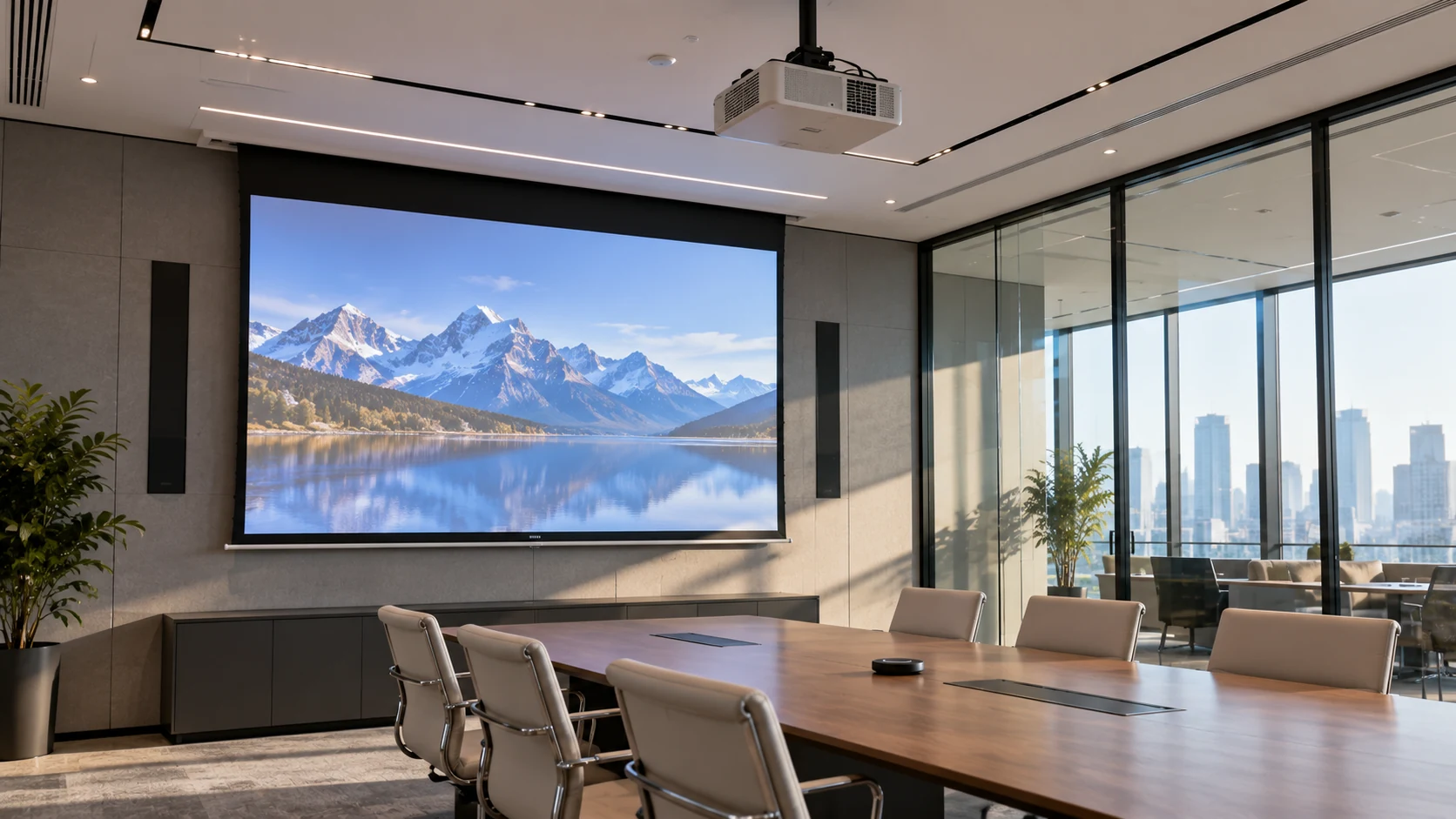
A motorized projector screen is a roll-up screen driven by a small electric motor, controlled through a wall switch, remote, or app. The screen itself stays hidden inside a ceiling-mounted or wall-mounted housing until it is needed.
Most commercial units use a 12V or 110V/220V motor connected to a tubular roller. When triggered, the roller spins and either unwinds the fabric downward or retracts it back into the case. Office-grade models usually include a manual override switch in case of a power cut.
Unlike a fixed frame screen, a motorized projector screen disappears completely from view when it is not being used. That single feature is the reason so many offices are replacing older pull-down or fixed screens in shared meeting rooms.
Why Are Motorized Projector Screens Ideal for Modern Offices?
They Free Up Wall and Ceiling Space
A retracted motorized screen takes up almost no visible space, which matters in rooms that double as huddle spaces, client meeting rooms, and training rooms. A fixed-frame screen, by contrast, permanently claims a wall.
Small and mid-sized offices in cities like Mumbai, Pune, and Bengaluru often work with meeting rooms under 150 square feet. In that footprint, a wall taken up by a static screen is a wall that cannot hold a whiteboard, a TV panel, or shelving. A motorised projector screen solves that by staying out of sight until it is actually needed.
They Handle Ambient Office Light Better
Most modern offices use glass partitions and open floor plans, which means meeting rooms rarely go fully dark. This is where screen material choice matters as much as the motor itself.
Ambient Light Rejecting, or ALR, screen fabric is built to reflect the projector’s direct beam back to the viewer while absorbing light coming from other angles, such as ceiling lights or windows. ALR screen technology can significantly reduce washout compared to a plain white screen under the same lighting. Some ALR materials are rated to absorb the large majority of overhead light, which keeps colors and contrast intact even with the lights on.
Screen gain also plays a role here. A screen with higher gain reflects more light straight back at the audience, which helps in brighter rooms, but it also narrows the viewing angle and can create a hotspot in the center of the image. Offices with long conference tables should generally lean toward moderate gain screens with a wide viewing cone rather than a very high gain screen, since side seats will otherwise see a dimmer, less even picture.
They Fit Hybrid Meeting Rooms
Hybrid work has changed how often a single meeting room gets used in a day, and screens that are always visible or hard to deploy do not hold up under that schedule. Recent workplace data shows 45% of employees now work in a hybrid mode, and average office utilisation is climbing back toward pre-pandemic levels as teams return for scheduled collaboration days. That means the same room might host a video call at 9 AM, a client pitch at 11, and a training session at 3, each with different screen needs.
A motorized projector screen and a projector with motorized screen presets can be set to drop automatically when a room booking starts, then retract the moment the meeting ends. Staff do not need to remember to put the screen away, and the next group walks into a clean room.
Prices and specs are pulled from vendor sites and published spec sheets and can change, so confirm current numbers before buying.
They Look More Professional Than Pull-Down Screens
Motorized vs Manual Projector Screens: Which One Fits Your Office?
The right choice depends on how often the room is used and who is expected to operate the screen. Here is a side-by-side comparison.
Feature | Motorized Projector Screen | Manual Projector Screen |
Operation | Remote, wall switch, or app | Pulled by hand |
Setup time | Under 10 seconds | 20 to 40 seconds, depends on user |
Wear over time | Even motor-driven movement | Springs and mechanisms loosen faster |
Best for | High-use meeting rooms, boardrooms | Storage rooms, occasional-use spaces |
Noise | Slight motor hum during operation | Silent |
Upfront cost | Higher | Lower |
Long-term reliability | Higher with proper maintenance | Lower, more prone to fabric sag |
Integration with room automation | Yes, can link to room booking systems | No |
For an office that runs three or more meetings a day in the same room, a motorized screen pays for itself in reduced downtime and fewer callouts for a jammed mechanism. For a rarely-used storage or training room, a manual screen is often the more practical, lower-cost option.
What Does a Motorised Projector Screen Cost?
Motorised projector screen price depends on three things: screen size, mounting type, and screen material. As a general guide, a basic motorized projector screen in a standard 100 to 120 inch size for a conference room tends to sit in the mid-range of commercial AV equipment, with ALR or acoustically transparent fabric pushing the price higher.
Recessed ceiling models, where the housing sits flush inside a false ceiling, usually cost more than surface-mounted units because of the extra installation work. Adding features like a tab-tensioned frame, which keeps the fabric perfectly flat, or wireless RF control instead of infrared, also raises the motorised projector screen price.
Since prices shift often based on brand, region, and current AV market rates, it is worth getting a live quote from two or three vendors before budgeting for a specific model rather than relying on a fixed number.
How to Choose a Projector With a Motorized Screen Setup
Picking a projector with motorized screen support means matching the projector’s throw distance, brightness, and control system to the screen you already have or plan to install.
Match Projector Throw Distance to Room Size
Check Brightness Against Room Lighting
Offices with large windows or bright overhead lighting need a projector rated at 3,500 lumens or higher to stay visible against ambient light. A projector under 2,500 lumens will struggle in any room that is not dimmed, no matter how good the screen material is.
Confirm Control Compatibility
Most commercial motorized screens use either a 12V trigger cable, RF remote, or integration through a room control system such as Crestron or Extron. Before buying a projector with motorized screen automation in mind, confirm the projector has a compatible trigger output or that your control system can bridge the two.
Consider Aspect Ratio and Screen Format
Standard 16:9 screens work for most video conferencing and presentation software. Offices doing CAD work, spreadsheets, or wide dashboard displays sometimes prefer a 16:10 format for slightly more vertical space. Match the screen aspect ratio to the projector’s native resolution to avoid black bars or stretched images.
torized screen automation in mind, confirm the projector has a compatible trigger output or that your control system can bridge the two.
Practical Examples From Real Office Setups Purpose
A 35-person design studio replaced a wall-mounted fixed screen in its main conference room with a ceiling-recessed motorized unit. The room previously doubled as a print review space, and the fixed screen blocked wall space needed for pinning up layouts. After switching, the team gained back roughly six feet of usable wall.
A financial services office in a glass-fronted building found that its projector image was nearly unreadable during afternoon meetings because of direct sunlight through the windows. Switching to an ALR-rated motorized screen combined with a brighter, higher-lumen projector fixed the washout issue without needing blackout curtains, which the building’s lease did not allow the office to install permanently.
A coworking space managing several meeting rooms tied its motorized screens into the room booking software, so screens drop automatically five minutes before a scheduled meeting and retract ten minutes after it ends. This removed a recurring complaint about screens being left down and blocking the next group’s setup.
Common Mistakes Offices Make When Installing Motorized Screens
Undersizing the Screen for the Room
A screen sized for a 10-person huddle room will not read well in a 20-person boardroom. Measure the farthest seat from the screen and size accordingly, generally aiming for the screen width to be roughly one-sixth to one-quarter of the viewing distance.
Ignoring Ceiling Height and Recess Depth
Skipping the Trigger Cable Check
Choosing Gain Without Checking Viewing Angle
A high-gain screen looks brighter in a showroom demo, but in a real conference room with people seated along both sides of a table, a narrow viewing angle means half the room sees a dimmer image. Moderate gain with a wider viewing cone usually serves mixed-seating rooms better.
Final Thoughts
A motorized projector screen is not just a convenience feature, it is a fit for how offices actually use meeting rooms now: multiple bookings a day, mixed lighting, and less patience for manual setup. Before you buy, measure your room, check your projector’s trigger compatibility, and get quotes from at least two vendors so you know the real motorised projector screen price for your specific setup rather than a generic estimate. If you are outfitting more than one room, start with your highest-traffic meeting room first and use that installation to test the workflow before rolling it out office-wide.
Frequently Asked Questions
How long does a motorized projector screen last?
Can a motorized projector screen work without WiFi?
What size motorized screen is right for a standard conference room?
Do motorized screens need regular maintenance?
Periodic checks on the motor, mounting brackets, and fabric tension help avoid unexpected failures. Dusting the housing and checking the remote or switch connections every few months is usually enough for office use.