


A meeting room layout is the way you arrange tables, chairs, and screens to fit the purpose of a meeting. Popular layouts include boardroom, U-shape, classroom, theatre, cabaret, and huddle. The right setup makes it easier for people to see, hear, and work together in the room or on a call.
What are the Different Types of Meeting Room Layouts?
The best meeting room layout depends on more than just available chairs. Before settling on a setup, weigh these key factors:
Boardroom Layout
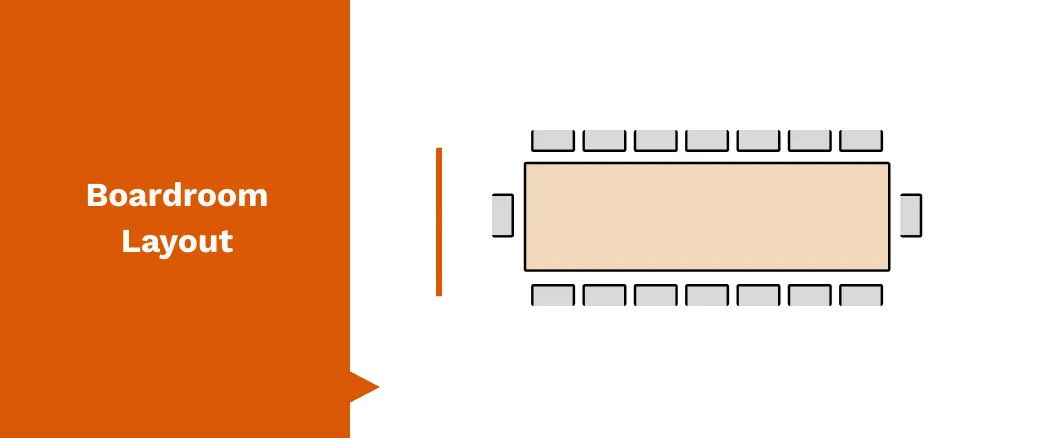
A boardroom layout is a single long table with chairs around it. It’s built for focused discussion and clear decision-making. This layout is best for formal meetings with clients or executives.
Pros
- Direct eye contact around the table
- Comfortable for 6–20 people
Easy to spot the lead at the head of the table
Cons
- Loses impact with large groups and doesn’t adapt well to workshops or group work
Build the right layout with our Meeting Room Solutions tailored for modern workplaces.
Front-Row/Hybrid Layout
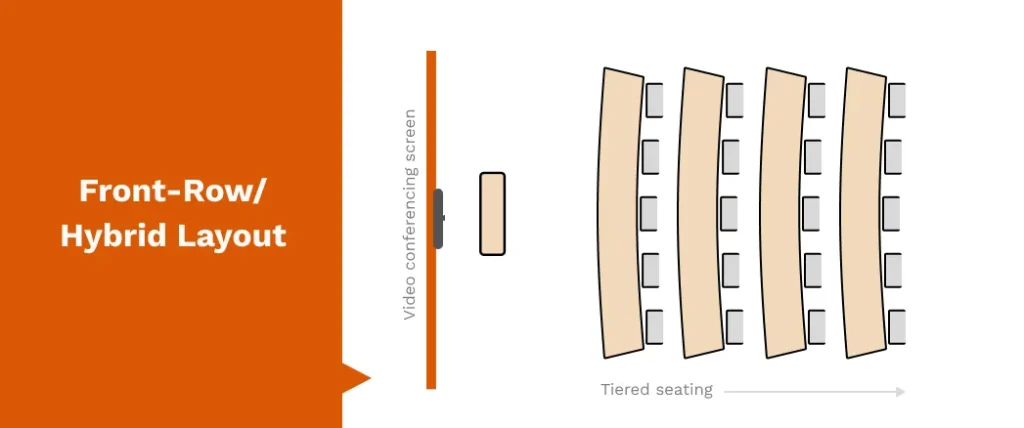
A front-row or hybrid layout uses a wide screen at the front with rows of tables or desks facing it. It’s built for video conferencing, giving in-room participants a clear view of remote colleagues.
Pros
- Strong visibility for both in-room and remote participants
- Supports modern hybrid work models
- Creates a natural focal point for presentations
Cons
- Requires more technology and setup
- Works best in larger rooms with proper AV design
U-Shape Layout
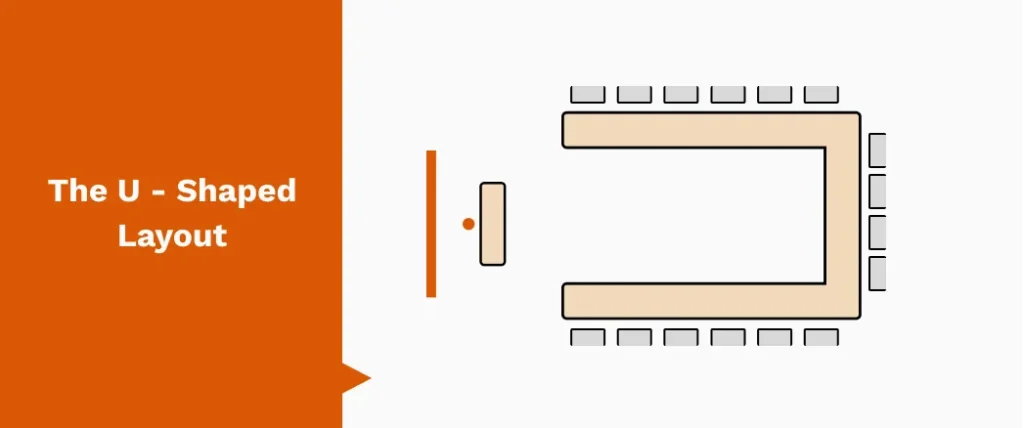
A U-shaped layout arranges tables and chairs in a horseshoe, open at one end. It works well when a presenter or screen needs to be the focal point while still allowing participants to see each other.
Pros
- Clear sightlines for presenter and display.
- Encourages group discussion
Easy access for demos or movement in and out.
Cons
- Space in the middle is unused
- Best suited to mid-sized groups (10–25 people)
Classroom Layout
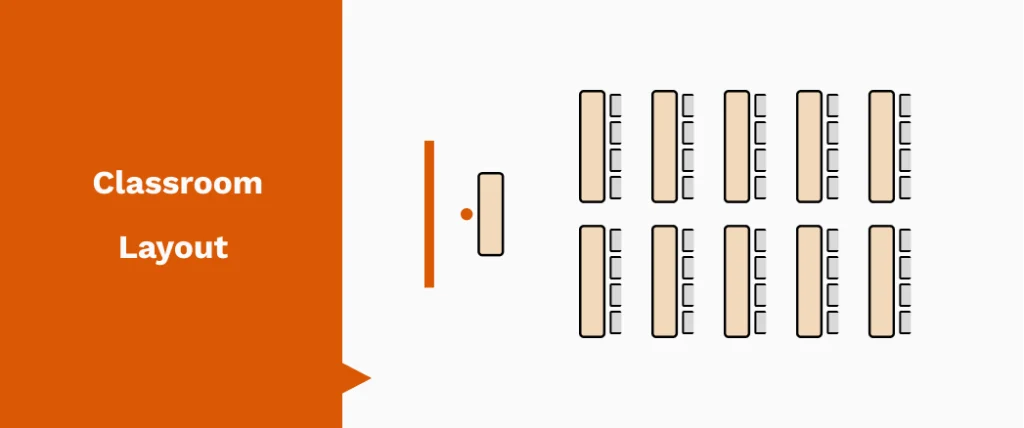
Pros
- Clear focus on the presenter or screen
- Comfortable for longer sessions with tables for writing
- Easy to add AV at the front of the room
Cons
- Limited interaction between participants
- Works best for larger groups but not for collaboration
Theatre Layout
A theatre layout sets chairs in rows facing the front, with no tables. It’s best for presentations, lectures, or events where participants mainly listen.
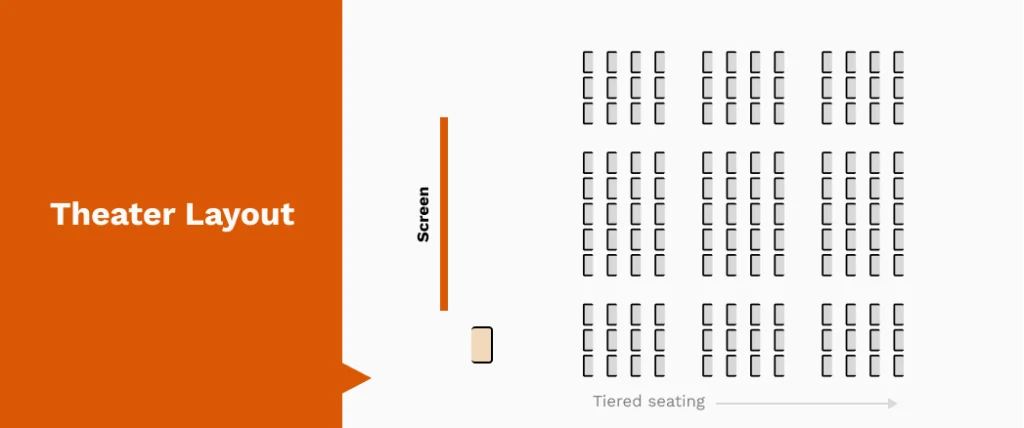
Pros
- Maximizes seating capacity.
- Clear view of the presenter or screen.
- Works well for large audiences.
Cons
- No workspace for note-taking and limited interaction between participants
Hollow Square Layout
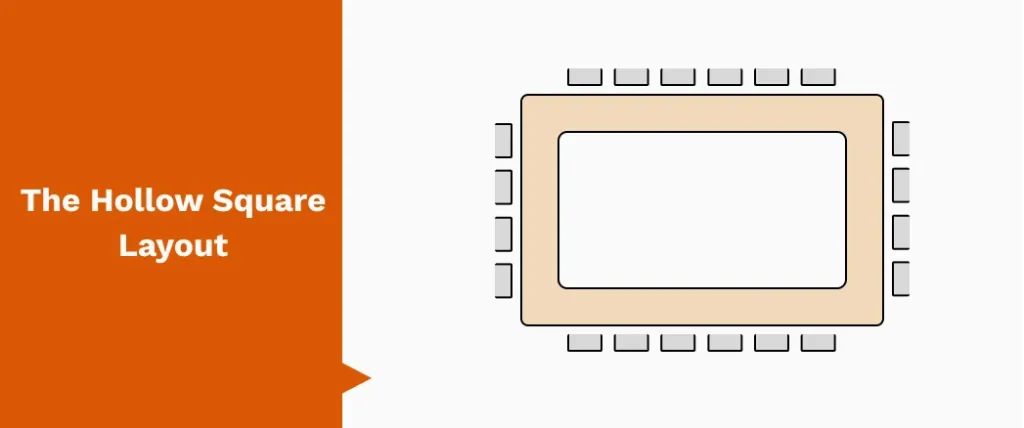
A hollow square layout places tables in a closed square with chairs around the outside. Everyone faces inward, making it suitable for discussion and equal participation.
Pros
- Teams don’t lose sight of the presenter
- Good visibility between participants
- Works well for collaborative meetings
Cons
- No clear focal point for a presenter or screen
- Can feel formal or restrictive for larger groups
Cabaret Layout
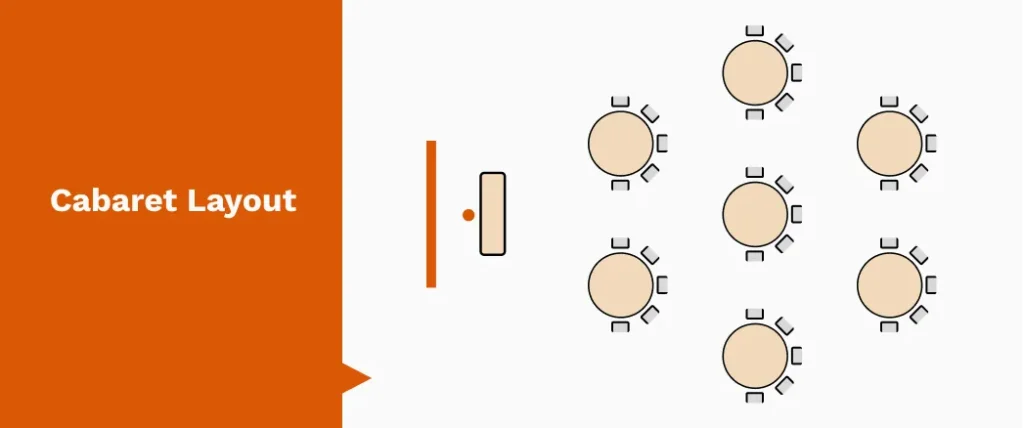
A cabaret layout uses round tables with chairs placed around two-thirds of each table, leaving the front side open toward the presenter or screen. It blends group discussion with clear sightlines.
Pros
- Encourages teamwork in smaller groups
- Everyone has a clear view of the front
- Comfortable for workshops and training sessions
Cons
- Takes up more space than classroom or theatre setups
- Less suitable for very large groups
Banquet Layout
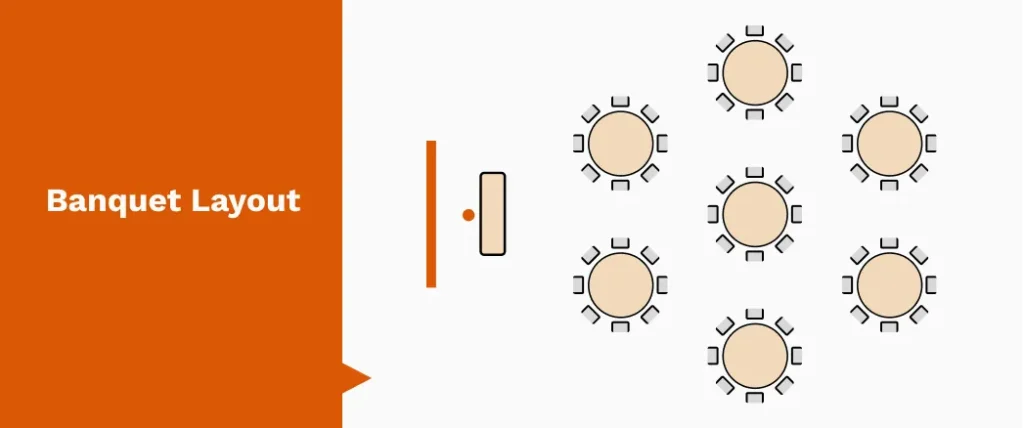
A banquet layout arranges round tables with chairs all the way around. It’s most often used for meals, networking, and social events..
Pros
- Ideal for dining and conversation
- Works well for networking sessions
- Creates a relaxed, social atmosphere
Cons
- Not suited to presentations or training
- Participants have their backs to the front of the room
Huddle Layout
A huddle layout is a small table or cluster of chairs designed for quick, informal meetings. It’s made for short discussions and fast decision-making.
Pros
- Perfect for 2–6 people
- Encourages quick collaboration
- Flexible and easy to set up anywhere
Cons
- Not suited for larger groups
- Limited space for laptops, notes, or AV equipment
Standing/Informal Layout
A standing or informal layout removes tables and often uses just a few chairs or none at all. It’s designed for short, energetic meetings where speed matters.
Pros
- Keeps meetings brief and focused
- Encourages active participation
- Easy to reconfigure or move to another space
Cons
- Not comfortable for longer sessions
- Limited use for presentations or note-taking
Chevron Layout
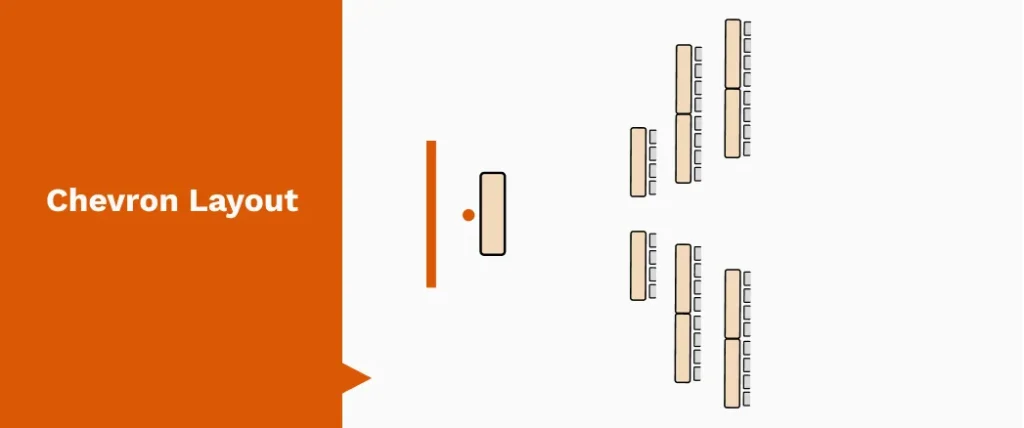
A chevron layout arranges rows of chairs or tables angled slightly toward the centre. It combines the capacity of theatre style with better sightlines and engagement.
Pros
- Improves visibility compared to straight rows
- Keeps focus on the presenter while encouraging interaction
- Suitable for medium to large groups
Cons
- Requires more floor space than theatre layout
- Less effective for group work or collaboration
Circle / Semi-Circle Layout
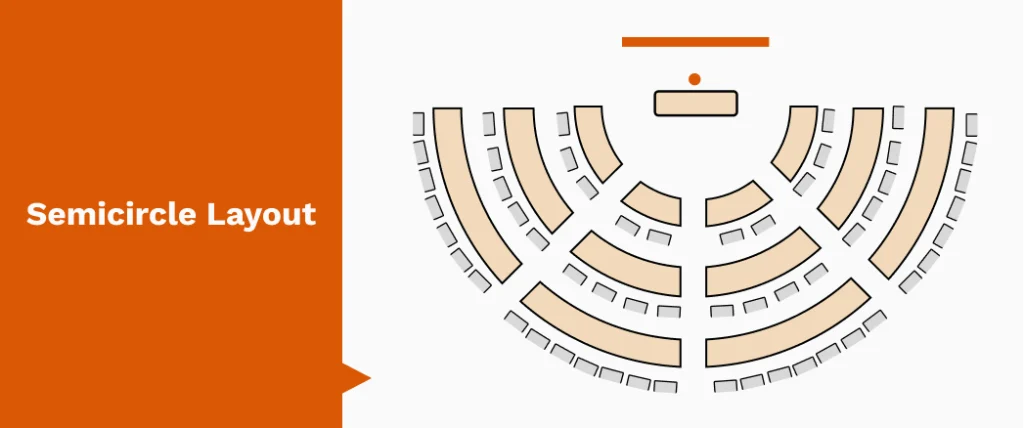
A circle or semi-circle layout places chairs in a full or half ring, with no tables. It’s designed for open discussions, brainstorming, or workshops where everyone needs equal footing.
Pros
- Everyone faces each other directly
- Encourages open dialogue and participation
- Works well for small to medium groups
Cons
- No tables for writing or laptops
- Not ideal for presentations or AV use
How to Choose the Right Meeting Room Layout?
The best meeting room layout depends on more than just available chairs. Before settling on a setup, weigh these key factors:
Purpose of the meeting
Is it a workshop, a presentation, or a decision-making session? The goal should be to design the room setup to achieve it.
Number of people
A huddle of four calls for intimacy. A training session of thirty needs space to spread out. Match seating style to headcount.
Room size and shape
Long, narrow rooms behave differently from square ones. Think sightlines, acoustics, and whether everyone has a clear view of the presenter or screen.
AV and technology needs
Plan where screens, cameras, microphones, and whiteboards will sit. Good AV placement can make or break hybrid meetings.
Flexibility
Some meetings evolve. Pick a layout that can reconfigure quickly if the agenda shifts.
Hybrid AV Considerations for Every Layout
Hybrid AV works best when the basics land. Clear audio at every seat, cameras that actually frame and catch faces, and lighting that doesn’t wash people out. Good layouts don’t rely on luck. They place mics with intent, angle cameras for visibility, and keep displays free from glare.
Sound treatment, dependable network support, and easy content sharing. Our AV Consulting service for a custom plan that matches the room’s purpose and constraints.
Key Takeaway
A well-planned layout sets the tone for every meeting. Once the seating, movement, and sightlines fall into place, the room starts working for you instead of against you. Pair that with the right AV design and the space becomes easier to use, easier to manage, and far more reliable for hybrid work. If you want a setup shaped around your exact room and workflow, our AV Consulting team can help you build it with clarity from day one.